
GPM Data Download Tutorial#
This tutorial demonstrates how to download GPM data from the GES DISC website.
1. Finding Data#
You can find and download GPM data on GES DISC: https://disc.gsfc.nasa.gov/datasets?keywords=GPM&page=1
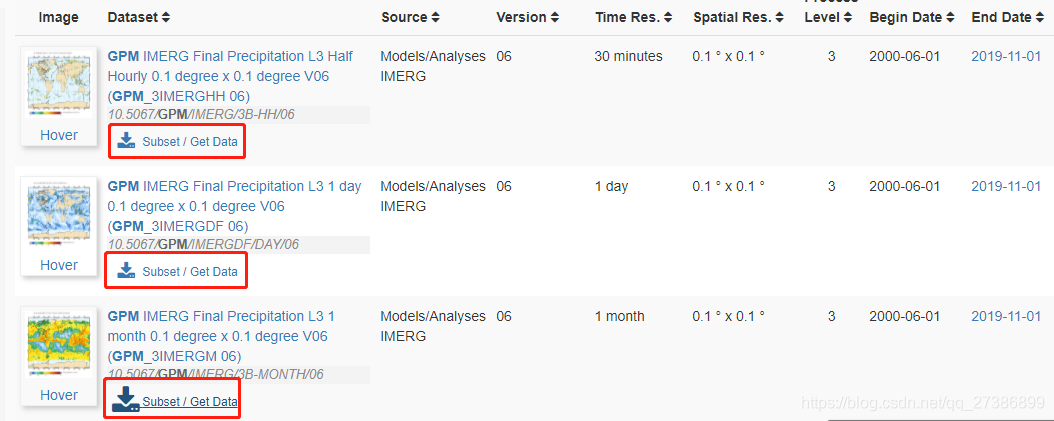
Many datasets are now available on the GPM official website. To quickly locate data, we can use filtering options such as Measurement, Project, Spatial Resolution, etc.

Select the dataset with the desired temporal and spatial resolution, then click Subset/Get Data.
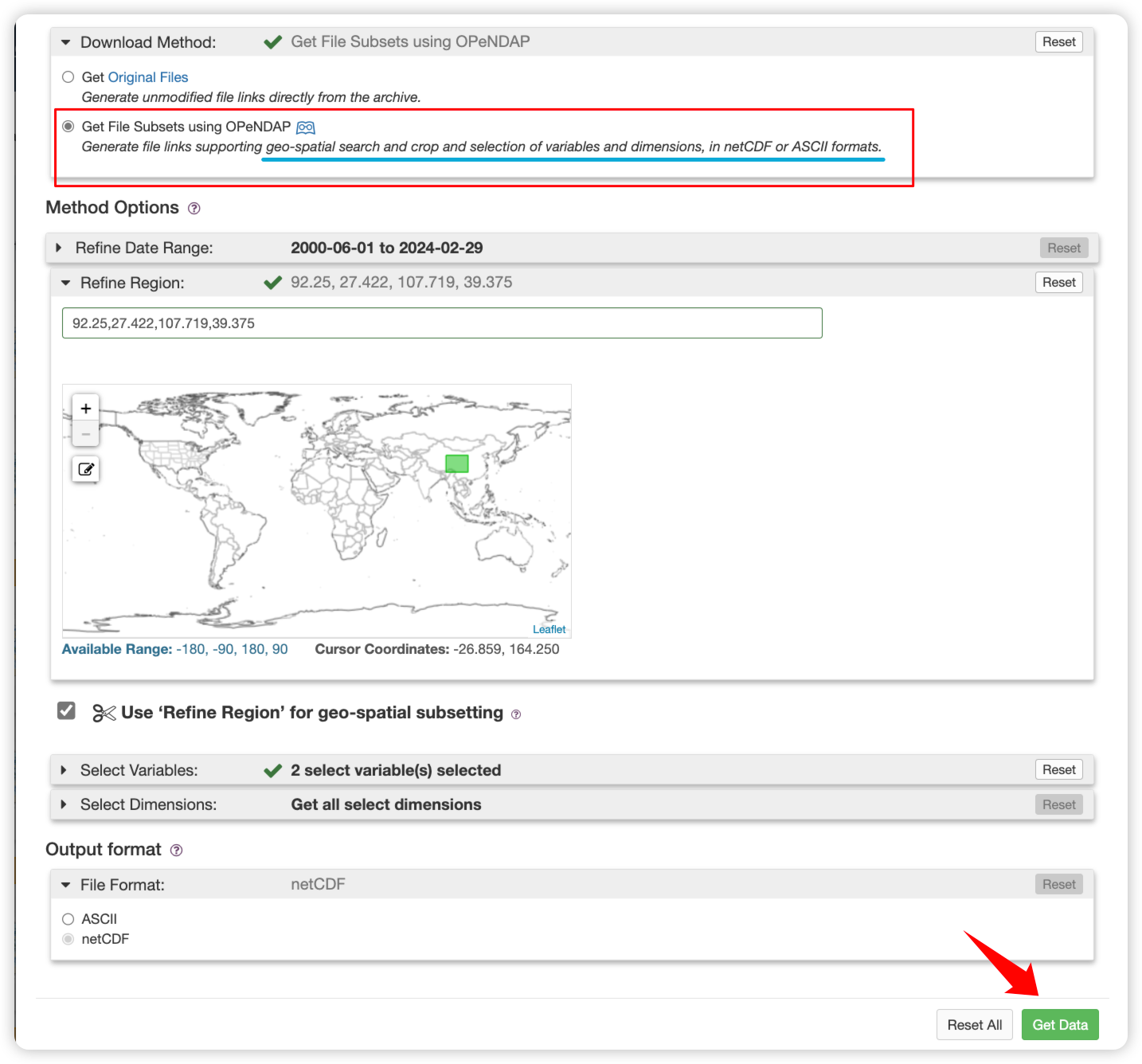
Choose the desired time range, spatial range (West, South, East, North), variables, output file format, etc., and click Get Data in the bottom right corner to retrieve the data.
Note
The first method can only download data in the global range.
The second methods can download data in a specific region.
In the pop-up interface, click Download links list to download the file containing image URLs.

2. Download data#
2.2. Bulk Download#
Create a Python file, copy the code below, change the folder_out and url_file paths according to your situation, and execute to download files in bulk.
Tip
DataDownloadercan automatically skip already downloaded files and supports breakpoint resume (currently onlyDownload Method 1supports breakpoint resume). Therefore, if the download is interrupted and some files are incompletely downloaded, you can directly re-execute the script to continue downloading.If the script indicates that it cannot get file size information from the website (opendap,
Download Method 2may have this issue), you need to manually judge whether the file is completely downloaded and manually delete incompletely downloaded files.
from data_downloader import downloader, parse_urls

# File output directory
folder_out = '/media/fancy/gpm'
# Path of the file containing URLs
url_file = "/media/fancy/gpm/subset_GPM_3IMERGM_06_20200513_134318.txt"

urls = parse_urls.from_file(url_file)
downloader.download_datas(urls, folder_out)